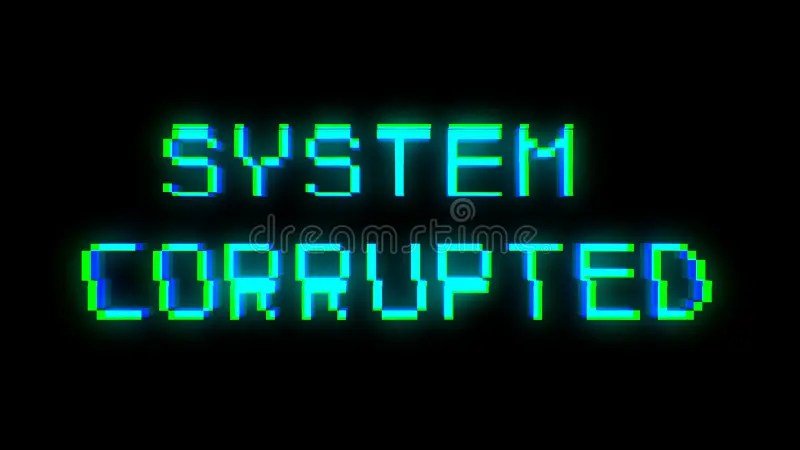
In a digital landscape often striving for pristine clarity, sometimes the most compelling message is delivered through distortion. Enter Glitch Text & Corrupted Character Tools – the digital equivalent of a frayed wire or a pixelated transmission, intentionally breaking down perfect typography to create striking, chaotic aesthetics. These tools aren't just about making text look "broken"; they're about harnessing the power of digital disruption to convey emotion, establish brand identity, and capture attention in an oversaturated online world.
Whether you're aiming for a subtle warble or full-blown digital meltdown, understanding how these tools work and when to deploy them can unlock a new realm of creative expression.
At a Glance: What You'll Learn About Glitch Text & Corrupted Character Tools
- What Glitch Text Is: Text visually distorted by stacking special Unicode characters to simulate digital errors.
- Its Origin & Purpose: Born from online communities and artists mimicking broken screens and corrupted files.
- The Glitch Spectrum: From subtly warped "Distorted Text" to the overwhelming "Zalgo Text" chaos.
- How Generators Work: They use Unicode combining diacritics and rule-based engines to transform plain text.
- Key Benefits: Creates instant visual hooks, offers cross-platform copy-paste, and adds unique brand personality.
- Popular Use Cases: Social media, gaming, digital art, cyberpunk themes, and even e-commerce.
- Important Considerations: Browser compatibility, accessibility best practices, and SEO-friendly implementation.
- Getting Started: A simple four-step process to generate and use glitch text, plus programmatic options.
Decoding the Digital Static: What Exactly is Glitch Text?
Imagine your pristine digital message suddenly looking like it's been caught in a time warp or exposed to a rogue EMP. That's glitch text. It's not genuinely "corrupted" in the sense of data loss, but rather a clever optical illusion. At its core, glitchy text is plain writing intentionally adorned and obscured by stacking specific Unicode combining characters—those tiny marks (like U+0300–U+036F) designed to sit above, below, or directly through regular letters.
This artful "corruption" makes words appear stretched, fractured, or besieged by extra symbols, creating a distinctive aesthetic that screams digital interference, supernatural activity, or a data stream on the brink of collapse. It's a deliberate disruption of readability for maximum visual impact.
Why the Digital Distortion? A Brief History of Simulated Chaos
The origins of glitch text aren't in a corporate design studio, but rather in the raw, experimental fringes of online communities and digital art. Early adopters, often within niche forums and early social platforms, discovered that by chaining together these obscure Unicode characters, they could simulate the visual artifacts of broken screens, corrupted files, or even the eerie interference seen in horror films.
It quickly became a visual language for the disaffected, the digitally native, and anyone wanting to inject a sense of unease, rebellion, or otherworldliness into their text. What started as an experiment in breaking norms evolved into a recognized aesthetic, influencing everything from niche digital art to mainstream marketing campaigns.
Unpacking the Glitch Spectrum: From Subtle Warps to Chaotic Zalgo
Not all glitches are created equal. The world of corrupted characters offers a gradient of distortion, allowing you to fine-tune the level of digital chaos you want to unleash. Understanding these variations is key to choosing the right tool for the job.
Let's break down the most common types:
- Distorted Text: This is your "light touch" glitch. It subtly bends or stretches characters using minimal accents or tildes. Think of it as a slight wobble or a gentle wave—enough to give a warped, yet still easily readable, vibe. Perfect when you need a hint of glitch without overwhelming your message.
- Corrupted Text: Stepping up the intensity, corrupted text layers multiple diacritics and symbols to genuinely simulate digital errors. It often feels denser and heavier than distorted text, making it ideal for creepypasta narratives, horror-themed designs, or edits that demand a strong sense of digital decay. This style specifically targets the look of system failures.
- Cryptic Text: Here, the distortion leans into secrecy. It merges standard letters with runes, rare Unicode marks, or coded symbols, making the text appear ancient, alien, or part of a hidden message. It’s a favorite for Alternate Reality Games (ARGs) and puzzle-based storytelling, inviting readers to decipher its hidden meaning.
- Creepy Text: A specifically unsettling variant, creepy text makes words appear "haunted" or possessed. It often incorporates specific symbols or stacking patterns that evoke a sense of dread, sometimes overlapping with Zalgo effects to amplify its unsettling nature. This is your go-to for Halloween promotions or horror game UI elements.
- Error Text: Designed to replicate digital crashes, "404" errors, or system malfunctions, error text uses missing letters, random symbols, and unexpected glitches. It’s a staple in cyberpunk aesthetics or any theme exploring technological breakdown and decay.
- Zalgo Text: The undisputed king of digital chaos. Zalgo text pushes the boundaries of Unicode combining marks to their absolute extreme, stacking dozens of characters above, below, and through the base text. The result is an overwhelming, nearly illegible vertical smear that embodies pure horror, digital corruption, or unbridled chaos. It’s the visual scream of the internet.
Glitch, Corrupted, Zalgo, and Mirrored: A Quick Clarification
While often used interchangeably, it's helpful to distinguish these related terms:
- Glitchy Text (General): This is the umbrella term for any text that distorts characters with Unicode marks, aiming for a chaotic appearance. It covers the full spectrum from subtle to extreme.
- Corrupted Text (Specific): A subset of glitchy text, specifically designed to mimic digital system errors and failures. It tends to be denser and heavier than generic "distorted" text.
- Zalgo Text (Extreme): The most intense form of glitchy text, where legibility is sacrificed for maximum aesthetic chaos through overwhelming character stacking. It's the ultimate expression of digital dread.
- Mirrored Text (Different Aesthetic): Unlike glitch text, mirrored text simply flips characters horizontally. It aims for clean, reflective design symmetry rather than distortion, providing a distinct visual style separate from the glitch aesthetic. If you're looking for that kind of visual flip, you might want to explore other aesthetic text styles.
Beyond Aesthetics: The Benefits of Using Glitch Text Tools
Why bother with text that's intentionally broken? The advantages go far beyond just looking cool. Glitch text generators offer tangible benefits for anyone looking to stand out in the digital crowd.
1. Instant Visual Hook
In a scroll-heavy world, you have mere seconds to grab attention. Glitch text, with its immediate visual disruption, acts as a powerful pattern-interrupt. Whether it’s in a social media caption, a gaming handle, or an email subject line (used sparingly!), it makes people stop and look. It's an instant "What was that?" moment.
2. Cross-Platform Copy-Paste Magic
Thanks to the standardization of Unicode, the corrupted characters generated by these tools are universally recognized. You can generate glitch text on a website, copy it, and paste it into nearly any text field—social media posts (TikTok, YouTube, Instagram bios), messaging apps, forum signatures, or even design software—and it will render correctly across most modern devices and browsers. This versatility is a huge advantage over custom fonts or image-based text. If you're keen to craft eye-catching social media bios, glitch text is a powerful addition.
3. Injecting Brand Personality
For brands and creators aligning with specific aesthetics, glitch text is a goldmine.
- Cyberpunk, Vaporwave, or Dystopian Themes: Glitch text is a natural fit, instantly conveying a sense of advanced yet decaying technology. Dive deeper into cyberpunk design elements to see how glitch text fits into the broader aesthetic.
- Horror or Mystery Narratives: It creates an immediate sense of unease, perfect for evoking the supernatural or a corrupted digital entity.
- Avant-Garde or Experimental Art: For artists pushing boundaries, it adds an edgy, digital-native touch.
4. Optional "Screen-Reader Safe" Toggle for Accessibility
Thoughtful glitch text generators often include an option to provide a "screen-reader safe" alternative or an intensity slider that keeps distortion at bay for assistive technologies. This demonstrates an understanding of inclusive design, allowing creators to leverage the aesthetic without alienating users who rely on screen readers.
How Glitch Text Generators Work: A Peek Under the Hood
The magic behind these corrupted characters isn't really magic; it's clever Unicode manipulation. When you type text into a glitch text generator, a sophisticated process unfolds:
- Parsing Input: The generator first takes your plain text and breaks it down. Using Natural Language Processing (NLP) techniques, it tokenizes the input, identifying individual characters and their corresponding grapheme clusters (the smallest units of a writing system, like "é" which is 'e' + combining acute accent).
- Rule-Based Engine: This is where the "glitch" happens. A rule-based engine, equipped with a vast library of over 3,000 Unicode combining diacritics and zero-width joiners (invisible characters that influence how other characters connect), goes to work.
- Strategic Stacking: For each character in your input, the engine intelligently selects and stacks a predetermined number of these combining marks. It carefully balances "above," "inline," and "below" markers to create the visual distortion while aiming to preserve some level of readability (depending on the desired "chaos" level). The crucial part? The base code point (your original letter) remains unaltered. This is why the text, despite its visual corruption, retains its semantic integrity, making it theoretically searchable by bots that can strip combining marks.
- The "Chaos Slider": Most user-friendly generators provide a "chaos slider" (often labeled Light, Medium, or Heavy). This slider isn't just a visual gimmick; it directly controls the number of combining characters stacked, the specific types of characters used, and their placement. A "light" setting might use only a few diacritics below the text, while "heavy" (think Zalgo) will bombard the character with dozens of marks both above and below, creating extreme vertical stretching.
In essence, these tools are highly specialized Unicode editors, programmatically turning plain text into a cascade of layered symbols that appear, to the human eye, delightfully broken. You can even explore strange text generator options that go beyond just glitching.
Where to Unleash the Chaos: Popular Use Cases
Glitch text isn't confined to niche forums anymore. Its versatile aesthetic has found its way into a surprising array of mainstream and creative applications.
- Gaming & Streaming Overlays: From game titles to player names, glitch text perfectly fits the high-tech, often chaotic world of video games. Streamers use it in their overlays, chat notifications, and even their channel descriptions to create an immersive, edgy brand.
- Social Media Hooks: A glitchy post title or a distorted username on TikTok, YouTube, Instagram, or X (formerly Twitter) instantly stands out. It's fantastic for event promotions, aesthetic posts, or simply making your profile memorable.
- Email Subject Lines (Use with Caution): A touch of glitch in a subject line can grab attention in a crowded inbox. However, use sparingly and test widely, as overuse can appear spammy or unreadable.
- Digital Art & NFTs: Artists leverage glitch text to add depth, texture, and a sense of digital decay to their creations. In the world of NFTs, it can enhance the uniqueness and digital authenticity of a piece. If you're exploring discover more digital art techniques, glitch text is a modern staple.
- Post-Apocalyptic UI Design: Crafting user interfaces for dystopian games, apps, or websites benefits immensely from glitch text. It immediately conveys a world where technology is fractured but still functional.
- E-commerce Flash Sales/Limited Editions: A temporary glitch effect on product names or discount codes can create urgency and an exclusive, "blink-and-you'll-miss-it" feel, enhancing a flash sale's impact.
Navigating the Digital Wild West: Performance, Compatibility & Accessibility
While widely supported, glitch text isn't without its quirks. To ensure your distorted message lands as intended, keep these technical and ethical considerations in mind.
Browser & Device Compatibility
Modern browsers and operating systems are generally excellent at rendering Unicode combining characters.
- Desktop: Chrome, Edge, and Brave offer full support, displaying complex diacritic stacks correctly. Firefox may show minor baseline shifts or slightly less precise stacking, but generally works.
- Mobile: On Android, Chrome and Samsung Internet perform well. Safari on iOS, however, tends to normalize or simplify some combining marks, potentially reducing the intensity of extreme glitches like Zalgo text. Always preview your glitch text on target devices before publishing.
Accessibility: Designing for Everyone
An intentional visual glitch shouldn't create an unintentional barrier for users with disabilities.
- Screen Readers: Most screen readers struggle with highly stacked combining characters, often skipping them or reading them as unintelligible strings of symbols. For images containing glitch text, always provide descriptive ALT text that conveys the meaning of the text in plain English, and possibly the intended aesthetic ("Distorted text reading 'SYSTEM ERROR'"). For text directly in content, consider an accessible toggle or a plain-text alternative.
- Motion Sensitivity: Extreme Zalgo text, with its dense, visually chaotic nature, can sometimes trigger discomfort for users with motion sensitivity. Offering a moderate intensity option or a toggle to disable extreme effects is a considerate practice.
- Contrast Ratio: When placing glitch characters on a background, ensure sufficient contrast. A WCAG AA contrast ratio of at least 4.5:1 between the text and its background is recommended, especially for text that is already challenging to read.
SEO Implications: Don't Let Your Glitch Cost You
Search engine bots primarily care about semantic meaning and readability. Glitch text presents a unique challenge:
- Bot Blindness: Search engines (like Google) generally ignore combining marks. They will strip them away and only "see" the base characters. This means
C̷o̷r̷r̷u̷p̷t̷e̷d̷ ̷T̷e̷x̷t̷will be read asCorrupted Text. - Keyword Density: Relying solely on glitch text for keywords will not benefit your SEO because the bots essentially see a simplified version.
- The Solution: Plain-Text Alternatives: To maintain SEO keyword density and ensure content readability for both humans and bots, always provide standard-text mirror paragraphs or a clearly visible plain-text version alongside any prominent glitch text sections. This allows you to leverage the aesthetic without harming your search performance. Rest assured, your SEO is not harmed if a plain-text alternative is included. If you're looking to understand the vast world of Unicode character sets and their impact on SEO, remember clarity is key.
Your Quick Start Guide: Generating Glitch Text in Four Steps
Ready to add some controlled chaos to your digital presence? Using a glitch text generator is incredibly straightforward.
- Type or Paste Your Text: Head to your chosen glitch text generator website. Find the input box and simply type or paste the message you want to corrupt.
- Adjust the Chaos Slider: Most generators feature a "chaos slider" or intensity options (e.g., Light, Medium, Heavy, Zalgo). Experiment with this slider to find the perfect level of distortion for your needs. Watch the output box as you adjust it.
- Copy the Output: Once you're happy with the look, the generator will provide the glitchy version of your text. There's usually a "Copy" button—click it to copy the Unicode string to your clipboard. Some tools also offer a "plain text" version to copy for accessibility or SEO purposes.
- Paste Anywhere: Now, simply paste your copied glitch text wherever you want it to appear: a social media post, a gaming handle, a design document, or an email.
Important Note on CMS Editors: While most modern sites accept Unicode combining characters, some older or overly zealous Content Management System (CMS) editors might "sanitize" or strip away these special characters upon saving. Always preview your content before publishing to ensure your glitch text renders as intended.
Programmatic Power: APIs and Packages
For developers or those needing to integrate glitch text generation into applications or websites, many tools offer programmatic access. You can often find free API endpoints or npm packages that allow you to generate glitch text on the fly using code, opening up possibilities for dynamic, real-time corruption effects. This is particularly useful for interactive experiences or automated content creation.
Embracing the Art of Intentional Imperfection
In a world obsessed with perfection, glitch text stands as a testament to the power of intentional imperfection. It's a design choice that speaks volumes, conveying everything from futuristic decay to ancient mystique, from playful disruption to genuine horror. By understanding the nuances of these Glitch Text & Corrupted Character Tools, you're not just adding fancy symbols; you're wielding a potent visual language that can transform plain words into unforgettable digital experiences. So go ahead, embrace the static, and let your text break free from the mundane.
Untuk pemahaman lebih lengkap, baca panduan utama kami: Explore strange text generator